IPTV Smarters is a media player used to access content supplied through a compatible account or playlist. It does not provide television channels simply because you install it, and purchasing a player upgrade does not automatically include an IPTV subscription.
Before setting up the application, distinguish between your device, the player, and the service supplying your content. Each has its own requirements.
This guide explains how to install IPTV Smarters on a smart TV, add your account, understand application charges, and review the subscription details that matter before purchasing.
What Is IPTV Smarters?
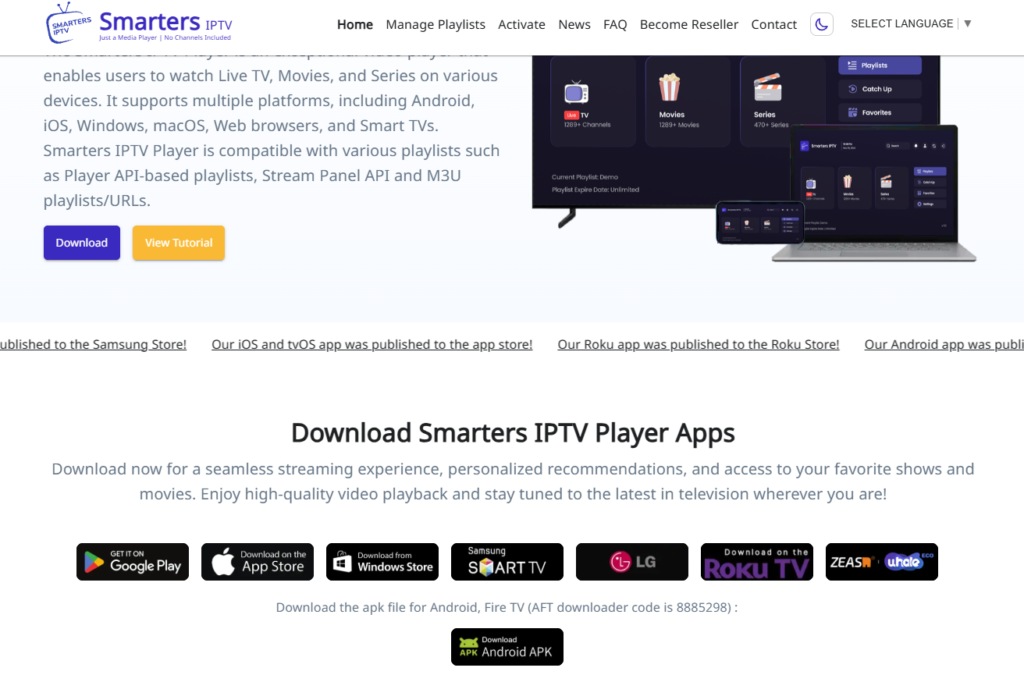
IPTV Smarters is a player interface for accessing content supplied by a separate source. The current Smarters Pro developer describes its application as strictly a media player and states that it does not sell IPTV services or channel packages.
Your content provider supplies the account or playlist information. The player uses supported information to display the content you are authorized to access.
| Part of the setup | What it provides |
|---|---|
| Smart TV or streaming device | Runs the compatible application |
| IPTV Smarters application | Provides the viewing interface |
| Content provider | Supplies the account, package, and access conditions |
| Player upgrade, where applicable | Unlocks application features rather than channels |
Similarly named applications may have different developers and purchase conditions. Always check the exact release you intend to install.
What Do People Use IPTV For?
People use IPTV to watch television delivered through an internet-protocol network rather than relying solely on traditional broadcast reception.
Depending on the service, access may include live television, on-demand programmes, movies, or catch-up content. These features are not included automatically with every subscription.
An IPTV player does not determine which channels you receive. Your package, location, and the provider’s rights and service conditions determine the available content.
What Channels Do You Get With IPTV?
There is no universal IPTV channel list.
Before choosing a subscription, confirm:
- The channels included in the selected package.
- Whether the offer applies to your location.
- Any restrictions on particular programmes or events.
- Available resolutions.
- Whether programme-guide information is supplied.
- Whether catch-up or on-demand access is included.
Review the channel information and ask about the specific content you want before purchasing.
What Is Included in IPTV?
The actual package may differ from the features advertised by the player.
For example, an application may display sections for live TV, movies, and series even when your account does not include all three. A catch-up option also does not establish that every channel offers earlier broadcasts.
Check the package itself rather than treating the application’s menus as a list of purchased benefits.
Can I Install IPTV Myself?
You can usually complete a supported application setup yourself if you have a compatible device and the correct account information.
The process is generally:
- Confirm device compatibility.
- Install the correct application.
- Add your authorized account or playlist.
- Allow the application to load the available content.
- Check playback and any supplied guide information.
Exact steps vary by application version and platform. Follow the instructions for your actual release rather than an unrelated similarly named player.
What Do You Need to Install IPTV?
Prepare the following before starting:
- A compatible television or streaming device.
- An internet connection.
- Access to the supported application store or installation route.
- Your provider’s account or playlist details.
- Confirmation of any separate player charges.
- The subscription’s connection and regional conditions.
If the application requires a player account or license, that may be separate from the account used to access television content.
How to Install IPTV Smarters on a TV
Begin by identifying your television’s operating system.
Samsung, LG, Android TV, and Google TV devices do not use identical application stores. An installation method for one platform may not work on another.
Install Smarters Pro on a Samsung Smart TV
The developer’s Samsung instructions use the following process:
- Press Home on your remote.
- Open Apps.
- Search for SMARTERS PRO.
- Check that the seller or developer is TECH SMARTERS PRIVATE LIMITED.
- Select Install if the official application is available.
- Open the application and follow its account instructions.
Availability can depend on the television model and region. Do not assume a similarly named result is the same application.
Install IPTV Smarters on Android TV or Google TV
Use your device’s application search or supported app store to locate the appropriate release.
- Search for the application.
- Verify the developer and device requirements.
- Install the supported version.
- Open it and review the login options.
- Add the account information supplied for your service.
If the application is unavailable, check the developer’s current installation guidance. Avoid random APK mirrors or files promising unlocked paid features.
For broader device preparation, review the Android IPTV setup guide.
Install IPTV Smarters on an LG Smart TV
Check your LG television’s app store for a supported application and verify the exact developer.
Do not assume that every LG model supports the same release or that an Android APK can be installed on the television’s native operating system.
If the intended application is unavailable, consider a compatible player or external streaming device after checking the requirements.
How Do I Activate IPTV Smarters Pro on My Smart TV?
“Activation” can refer to different steps:
- Registering or unlocking the player.
- Adding a content-service account.
- Activating the provider’s subscription.
These are not necessarily the same purchase or process.
Start by confirming which account information your selected application accepts. Many IPTV Smarters versions support Xtream Codes credentials or an M3U playlist, but the available options depend on the release.
Add an Account Using Xtream Codes
If your application offers this login method:
- Open the option to add a user or account.
- Select the Xtream Codes login option.
- Enter an account label if requested.
- Add the server address exactly as supplied.
- Enter your username and password.
- Save the account and allow the application to load.
Do not alter the server address or omit a supplied port unless your provider instructs you to.
Review the Xtream Codes setup guide for account-format information.
Add an M3U Playlist
If your player supports an M3U URL or file:
- Select its playlist-loading option.
- Enter the complete supplied URL or choose the supported file.
- Add a recognizable playlist name if requested.
- Save and load the playlist.
- Configure programme-guide information separately if required.
Keep playlist URLs private. They may contain account credentials or access tokens.
What If the App Shows a Device Code or License Screen?
Read the instructions for that exact application.
Do not assume the requested payment activates television channels. Confirm whether it purchases a player license, application features, or a separate content service.
Is IPTV Smarters Free to Use?
Free installation, free player features, and free television content are different things.
The availability of free and paid functions depends on the exact application and platform. Smarters Pro describes a Premium upgrade for additional features, so check the actual listing and purchase screen before paying.
A free download does not mean every feature is included, and it does not provide a channel package.
How Much Does the IPTV Smarters App Cost?
Check the current price for your selected release, device, and region.
Do not rely on a price quoted for a similarly named application. Confirm whether the charge is one-time, recurring, or linked to a device license.
Player charges are separate from a viewing subscription unless the offer explicitly states otherwise.
How Much Does IPTV Cost Monthly?
Subscription prices depend on the provider, package, duration, and connection allowance. The player’s price should not be confused with the cost of the service supplying your content.
Xtreame IPTV’s listed subscription prices are:
| Subscription period | Listed price |
|---|---|
| 1 month | $15 USD |
| 6 months | $38 USD |
| 12 months | $59 USD |
| 24 months | $89 USD |
These prices apply to the full stated subscription periods. The longer-plan prices are not monthly billing amounts.
Explore the monthly IPTV subscription or compare plans and pricing.
Before purchasing, confirm included access, compatibility, connection limits, any additional charges, and renewal conditions. Do not assume that a subscription includes a paid Smarters license.
Why Is IPTV Smarters Not Working?
Identify whether the problem affects installation, account login, content loading, or playback.
The Application Will Not Install
Confirm the television model, operating system, available storage, and application compatibility.
An unavailable or incompatible application is not automatically evidence that your subscription has stopped working.
Login Details Are Rejected
Check the server address, username, and password exactly as supplied.
Ask your provider whether the account is active and whether the application accepts that account format.
Channels Load but Will Not Play
Confirm that the account includes the affected content and that its simultaneous connection limit has not been reached.
Test whether the issue affects one channel or the entire package, then report the specific error.
The Player Opens but Shows No Content
Check that you added a content account or playlist—not only a player account.
Installing the application or unlocking Premium does not create a television package.
IPTV Smarters Buffers or Freezes
Compare playback in another supported streaming application and investigate whether the issue affects the wider connection.
Check available updates and restart the application and device. If only particular streams fail, ask the provider about those streams rather than assuming the entire player is faulty.
Is IPTV Smarters Pro Legal in the USA?
A media player does not authorize every content source used with it.
The Smarters Pro developer describes its application as a player for legally acquired content and states that it does not supply IPTV packages. Whether a particular viewing setup is lawful depends on the source, authorization, and applicable law.
Confirm that your service is authorized to distribute the content in your location. This guide does not verify the licensing status of any particular provider or offer legal advice about an individual subscription.
Is IPTV Legal in the USA?
IPTV is a delivery technology, not a statement about a service’s licensing.
The relevant issue is whether the content is supplied and accessed with the required authorization. A working playlist, large channel count, or application installation does not establish those rights.
Can IPTV Be Traced?
Do not assume that streaming is anonymous.
Depending on the systems involved, services may process account details, connection information, device identifiers, and payment records.
A VPN does not make you completely anonymous. It routes traffic through another provider and changes who you must trust; it does not erase account information or establish permission to access copyrighted content.
Avoid services or download pages that promise guaranteed anonymity.
Explore Your Xtreame IPTV Setup
Before selecting a Xtreame IPTV subscription, confirm your television model, application version, supported account format, and package requirements.
Use these pages for your next step:
- IPTV trial and test information — check availability and actual conditions.
- Monthly IPTV subscription — review the one-month offer listed at $15 USD.
- IPTV plans and pricing — compare subscription durations.
- Subscribe to IPTV — explore purchase instructions.
- Device compatibility information — review your intended setup.
- Help & Support — clarify account and application requirements.
Smarters compatibility, included player licenses, trial availability, and subscription features should be confirmed for the actual offer before purchase.
2 Responses