TiviMate is a media player that lets you watch content from playlists you supply. It does not include television channels or sell an IPTV subscription. Installing the application or purchasing Premium does not automatically give you access to live TV, movies, or shows.
Understanding that distinction helps you choose the right setup. Your device, the TiviMate application, and your source of television content are separate parts of the viewing experience.
This guide explains what TiviMate does, how its Premium upgrade differs from an IPTV subscription, and what to confirm before choosing a viewing plan.
What Is TiviMate?
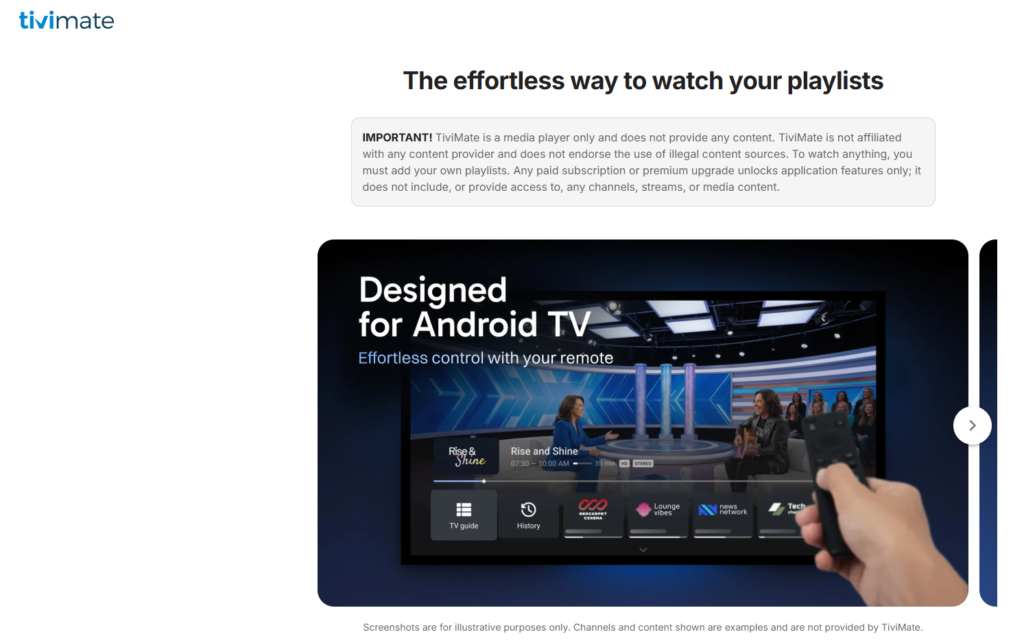
TiviMate is a media-player application designed for Android TV devices. It provides an interface for accessing and managing content supplied through your own playlists.
The application offers features such as recording, multiview, parental controls, and catch-up playback, depending on the application version, your setup, and the capabilities of your content source.
TiviMate is the player—not the television provider. You still need an accessible, authorized content source to watch anything.
What Is the Purpose of TiviMate?
TiviMate helps you organize and play content from your supplied playlists. It brings your viewing information into a TV-oriented interface rather than providing the channels itself.
Before choosing your setup, answer three questions:
- Which device will run the application?
- Which player features do you need?
- Which authorized service or playlist will supply your content?
Your provider’s package and connection limits must be checked separately from the player’s capabilities.
Does TiviMate Work Without a Subscription?
The answer depends on which subscription you mean.
A TiviMate Premium purchase unlocks application features. A separate content subscription supplies access to the channels or other media offered by that service.
| Purchase | What it provides |
|---|---|
| TiviMate Premium | Paid player features, not television content |
| A content-service subscription | Access supplied by that provider under its package and service conditions |
Purchasing Premium does not replace a content subscription or add channels to an empty player.
Can I Use TiviMate Without an IPTV Subscription?
You need your own supported content source, but whether that source requires payment is a separate question.
Installing TiviMate alone does not provide channels. Likewise, a TiviMate account and a television-provider account are not interchangeable.
Can You Use TiviMate for Free?
TiviMate has a free base application and a paid Premium option. However, free use of the player does not mean free access to television content.
Review the current feature comparison before paying for Premium. Check whether the free version meets your needs and which additional features are included in the paid offer.
How Much Does TiviMate Cost a Month?
TiviMate Premium pricing is separate from your IPTV subscription price. Do not assume the player uses monthly billing.
Check the current purchase screen for the available payment options, price in your currency, and renewal conditions. This guide does not quote a fixed Premium price because the actual offer should be confirmed before purchase.
Your viewing setup may involve separate costs for:
- A TiviMate Premium upgrade, if you choose one.
- A content-service subscription, where applicable.
- Any additional device or application requirements.
Xtreame IPTV Subscription Prices
Xtreame IPTV’s listed viewing-subscription prices are:
| Subscription period | Listed price |
|---|---|
| 1 month | $15 USD |
| 6 months | $38 USD |
| 12 months | $59 USD |
| 24 months | $89 USD |
These prices apply to the full stated subscription periods. They are not TiviMate Premium prices, and the longer-plan prices are not monthly billing amounts.
Explore the monthly IPTV subscription or compare IPTV plans and pricing.
Before purchasing, confirm device compatibility, included access, connection allowances, and any additional charges.
What Is Included in TiviMate Premium?
TiviMate offers advanced player functionality, including features such as recording, multiview, parental controls, and catch-up playback. Review the current Premium feature list to confirm exactly what is included in your purchase.
Player features and provider capabilities are not the same thing. Catch-up controls do not mean every channel supplies earlier broadcasts, and multiview does not authorize you to exceed your provider’s simultaneous connection limit.
Confirm both the player’s features and the content service’s conditions.
What Is TiviMate Companion?
TiviMate Companion is a separate application used to unlock Premium functionality on devices without Google Play and manage activated devices.
It is not the main viewing application and does not provide television channels.
Is It Worth Buying TiviMate Premium?
Premium may be useful if its additional features match your viewing needs. The decision should be based on the functionality you will use—not an expectation that paying for the player will unlock more channels.
Before purchasing, check:
- Whether your device meets the application requirements.
- Which Premium features you need.
- Whether your content source supports those features.
- The current price and purchase conditions.
- Whether you still need a separate content subscription.
If your priority is simply accessing your supplied playlist, review the free version’s capabilities before deciding whether to upgrade.
How to Prepare Your TiviMate Setup
Start by checking your device and obtaining the application through the developer’s official distribution routes.
Then confirm the account or playlist requirements associated with your chosen content source.
1. Check Your Device
TiviMate is intended for Android TV devices and is not optimized for phones and tablets. Do not assume that every smart TV can install the same application.
Review your exact device model and the relevant device compatibility information.
2. Confirm Your Account Format
Ask your provider which account or playlist format it supplies and whether that format works with your chosen player configuration.
If your offer uses Xtream Codes credentials, review the Xtream Codes setup information and follow the instructions supplied for your account.
3. Separate Player and Provider Purchases
Confirm whether you are purchasing the player upgrade, a viewing subscription, or both through separate processes.
Do not assume that an IPTV subscription includes a TiviMate Premium license unless the offer explicitly states this.
4. Review Subscription Conditions
Before paying a provider, clarify:
- Included channels and other access.
- Regional availability.
- Simultaneous connection limits.
- Account-delivery arrangements.
- Activation and expiry rules.
- Renewal and refund conditions.
For questions about a Xtreame IPTV offer, contact Help & Support.
Is TiviMate Illegal?
TiviMate is a media player. The application itself does not supply or authorize the content added to it.
The legality of a viewing setup depends on the content source, permission to access that content, and applicable law. A working playlist is not proof that a service has the rights to distribute its channels.
Is TiviMate Legal in the USA?
Installing a player does not establish that every service used with it is lawful. Confirm that your content source is authorized to supply the material in your location.
This guide does not verify the licensing status of any particular provider or offer jurisdiction-specific legal advice.
Can I Get in Trouble for Watching Illegal Streams?
Potential consequences depend on your conduct and the applicable law. Using a media player does not remove copyright restrictions or authorize access to content supplied without permission.
Choose authorized content sources rather than relying on claims that an application makes every stream legal.
Is the TiviMate App Safe?
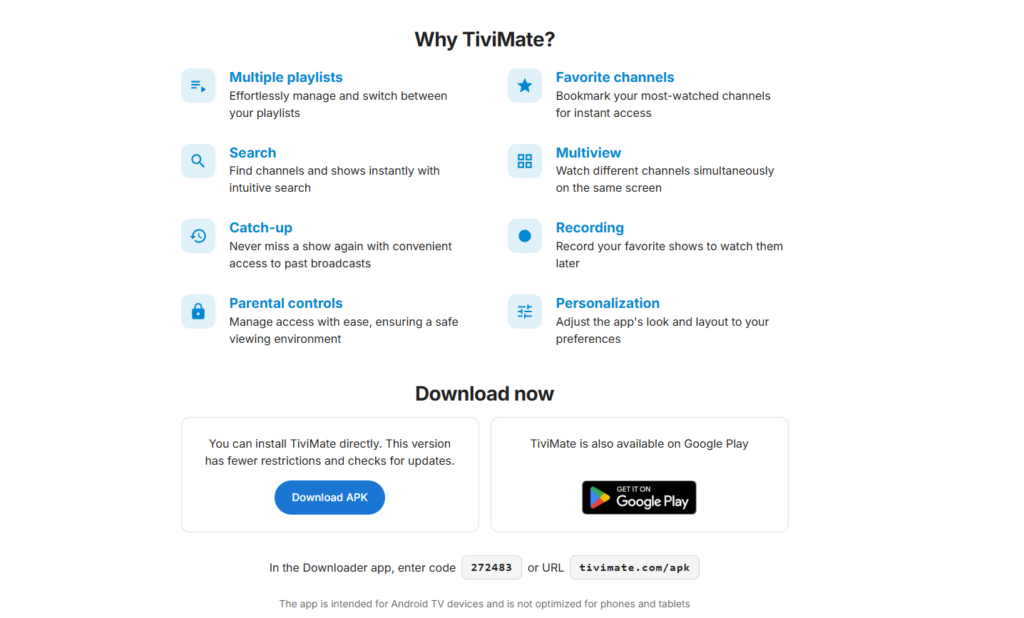
No application or download can be given an unconditional safety guarantee. Obtain TiviMate through the developer’s official distribution routes and review the installation requirements for your device.
The player and your content provider also require separate checks. An official application download does not certify a provider’s safety, reliability, or licensing.
Will TiviMate Get Blocked on Firestick?
No guide can guarantee that an application will never experience installation, compatibility, or availability changes.
Check the current installation requirements for your exact device. Review the Firestick setup information and ask support to confirm your intended configuration.
Explore Your Xtreame IPTV Subscription Options
Choosing a TiviMate setup starts with understanding the difference between the player and the content subscription.
Before selecting a Xtreame IPTV offer, confirm compatibility, account format, included access, and simultaneous connection limits.
Explore your next step:
- IPTV trial and test information — check current availability and trial conditions.
- Monthly IPTV subscription — review the one-month offer listed at $15 USD.
- IPTV plans and pricing — compare subscription periods.
- Subscribe to IPTV — explore purchase instructions.
- IPTV USA information — ask about location-specific availability.
Trial availability, included player licenses, and TiviMate compatibility should be confirmed before purchase.
One Response